What is a channel manager? A plain-English guide for holiday let owners
If your holiday let is on Airbnb, Booking.com and your own website, every booking has to close those dates everywhere else, and every price change has to be made three times. A channel manager does that for you. It sits between your calendar and the sites you list on, so you manage one set of availability and prices and the channels stay in step.
This guide explains how channel managers work, how they differ from the iCal links most hosts start with, and how to tell when you need one.
What a channel manager does
A "channel" is anywhere guests can book you: Airbnb, Booking.com, Vrbo, Expedia, a specialist site such as Pitchup or Hipcamp, or your own booking website. A channel manager connects to each of them and keeps four things in step:
- Availability: a booking on one channel closes the dates on all the others.
- Rates: the nightly prices you set go out to every channel.
- Restrictions: minimum stays, closed arrival or departure days and stop-sell.
- Bookings: new bookings, changes and cancellations come back into one calendar.
The point is that you only ever change things in one place. Raise your August prices or block a week for maintenance once, and every channel gets the change.
Channel manager vs iCal sync
Most listing sites let you export and import a calendar link (an iCal feed). Plenty of hosts start by pasting each site's link into the others. It costs nothing and is better than nothing, but it has limits worth knowing about:
- iCal carries availability only. It says which dates are taken. It doesn't carry prices, minimum stays or the guest's booking details.
- iCal isn't instant. Each site fetches the other calendars on its own schedule, so there's a gap between a booking landing on one site and the dates closing on another. That gap is where double bookings come from.
- It gets harder with more than one unit. iCal works best for a single property with a single calendar.
A channel manager connects to the channels directly, through their own connections for software partners. Changes go out as they happen and bookings come back with the full details.
iCal still has a place: for a site that has no direct connection, or an owner's personal calendar, an iCal feed is a sensible fallback.
What a channel manager doesn't do
It's worth being clear about the limits too, so nothing comes as a surprise:
- Channels still charge their commission. A channel manager keeps your calendars in step; it doesn't change what Airbnb or Booking.com charge you per booking. (Direct bookings on your own website avoid that commission, which is why a channel manager and a booking website work well together.)
- Listing content usually stays on each channel. Many channel managers, Stayant included, sync rates, availability, restrictions and bookings, but not photos and descriptions. Keep each listing's text and photos up to date on the channel itself.
- It doesn't set your prices for you. That's a separate job, often called dynamic pricing. With a channel manager you decide the prices, and it delivers them everywhere.
Do you need one?
You'll probably get value from a channel manager if any of these sound familiar:
- You list on two or more booking sites, or on one site plus your own website.
- You've had a double booking, or you're nervous about one in peak season.
- You change prices or minimum stays more than a few times a year.
- You have more than one property or unit, and copying changes across has become a chore.
If you take every booking through a single site and rarely change your prices, you may not need one yet.
How it works in Stayant
The channel manager is built into Stayant rather than sold as an add-on. Stayant connects to Booking.com, Airbnb, Vrbo, Expedia and over 70 other sites through Channex, our certified channel-management partner. The full list is on the Channels page.
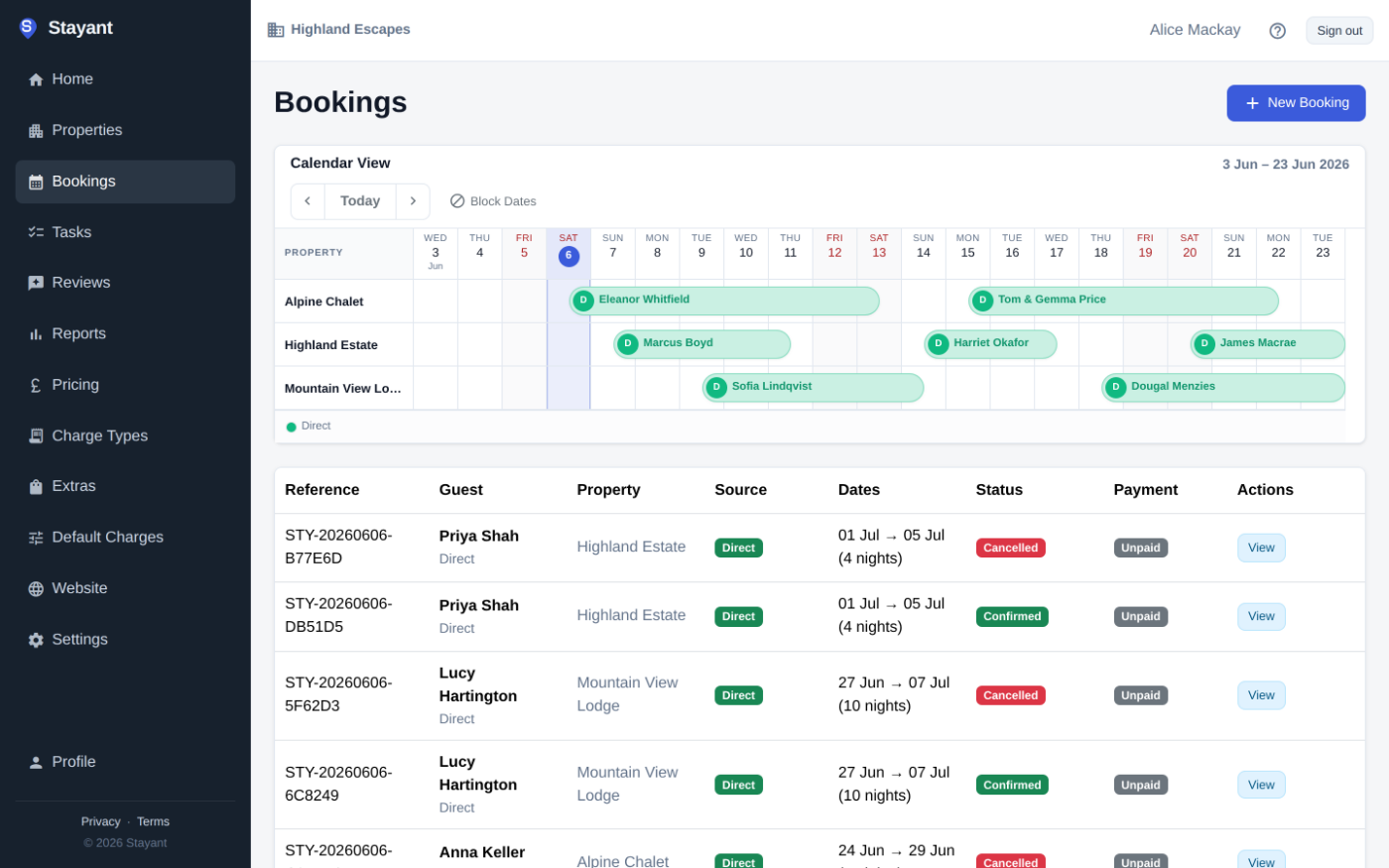
- One calendar. A booking on Airbnb closes the dates everywhere else, and changes made on a channel, such as new dates, guest numbers or a cancellation, update the booking in Stayant.
- No silent double bookings. If a change from a channel would clash with another booking, Stayant keeps the original dates and raises an Overbooking task so you can sort it out.
- Prices and restrictions from one place. Seasonal rates, weekend prices, minimum stays, closed arrivals and departures and stop-sell all go out to your channels. See pricing and minimum stays.
- We set it up with you. Tell us which channels you use from the property's Channels tab. The Stayant team links your property to Channex, usually within one working day, and then you connect each channel with a short guided set-up.
- iCal for the rest. Import and export iCal feeds for anything without a direct connection. Imported feeds refresh every few hours.
There are no per-booking fees from Stayant, and the Channex connection is included in your plan. The help centre's guide to channel connections walks through the set-up step by step.
The short version
A channel manager keeps your availability, prices, restrictions and bookings the same on every site you list on, so you make each change once and stop worrying about double bookings. iCal links are a reasonable start but carry dates only, with a delay. Once you're on two or more channels, a channel manager usually pays for itself in time saved and bookings protected.