Take the deposit, then the balance, without chasing anyone
Stayant takes a deposit when the guest books, saves their card through Stripe and charges the balance on the date you choose. You see every payment on the booking, and anything that fails is flagged.
14-day free trial, no card needed.
A payment schedule that runs itself
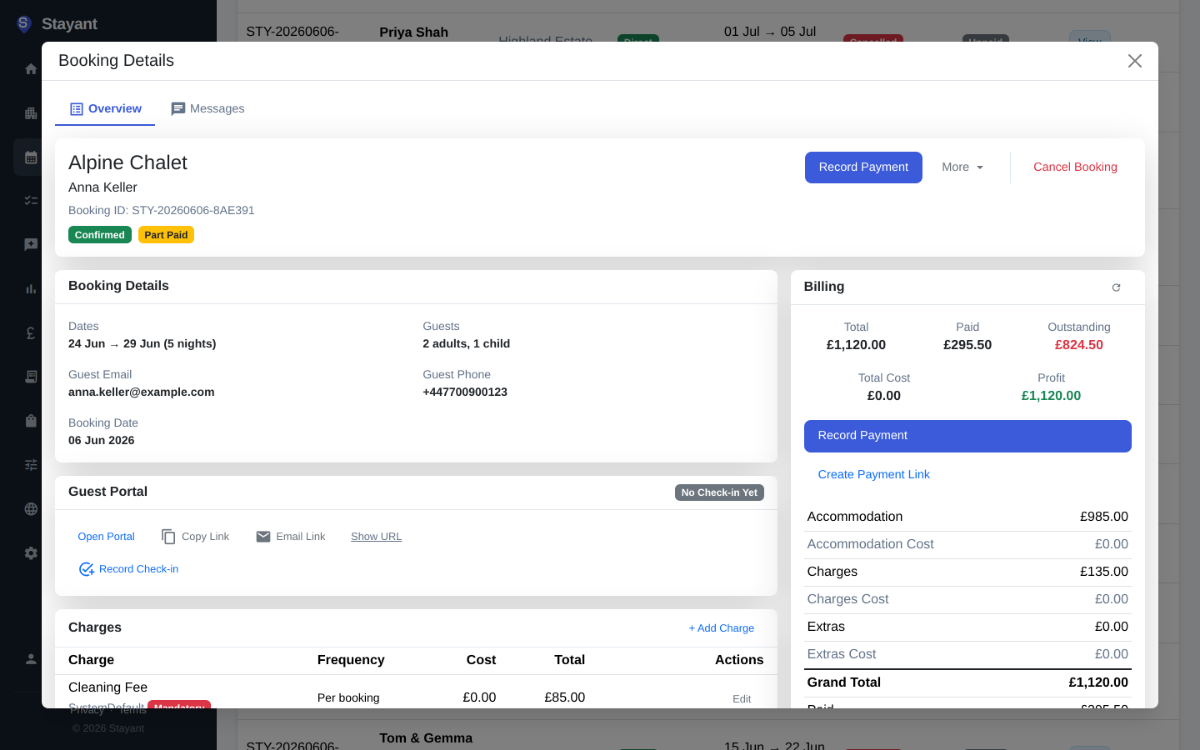
Switch on the payment schedule, set the deposit percentage and how many days before check-in the balance is due. That is the whole set-up.
When a guest books on your website they pay the deposit through Stripe, and their card is saved for the balance. On the due date Stayant charges it and records the payment against the booking.
- Deposit as a percentage of the stay, balance due a set number of days before arrival
- Change a due date, or put one booking on hold, from the booking’s payment schedule
- Booking terms and conditions shown to guests before they pay
Your Stripe account, plus PayPal and bank transfer
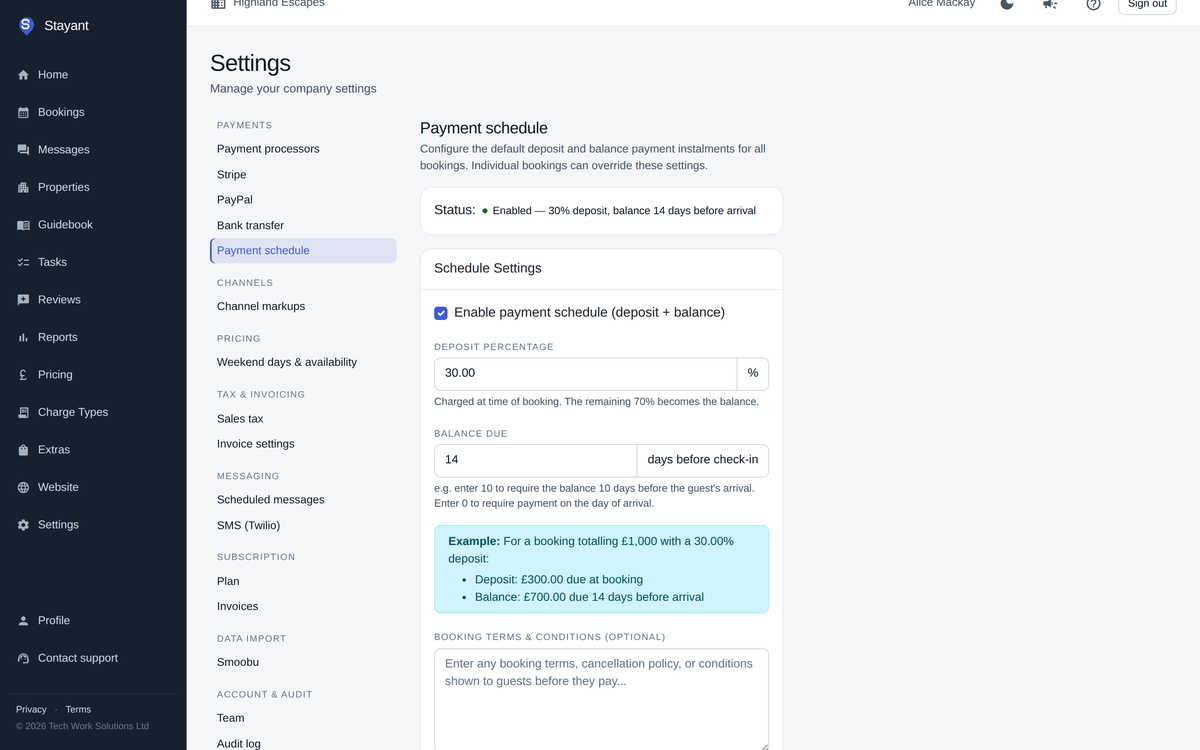
Connect your own Stripe account in a couple of clicks; the money goes straight to you. Card payments can include Apple Pay, depending on what your Stripe account has switched on.
You can also offer PayPal and bank transfer, and choose the order guests see them in at checkout.
- One currency per account: GBP, EUR, USD, AUD or CAD
- Bank transfer details and instructions shown to the guest, with Mark as paid when it arrives
- Cash, cheque and other payments recorded by hand
When something needs your attention
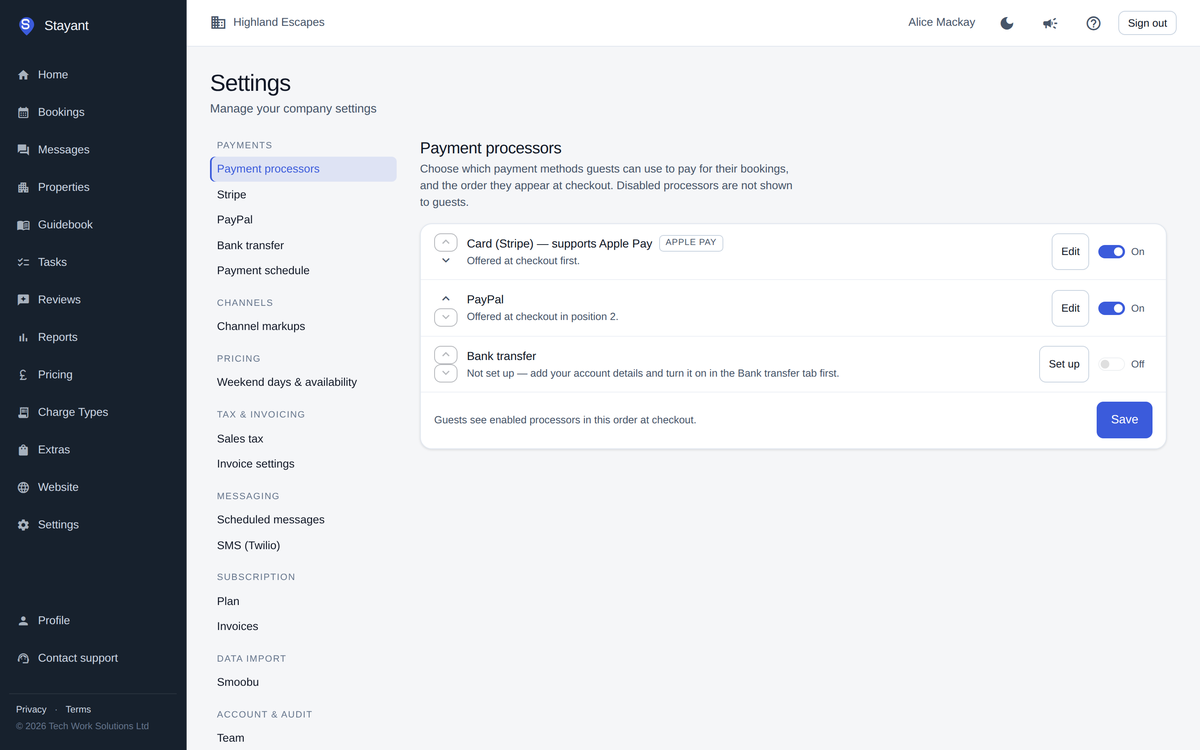
If an automatic charge fails, the booking shows Overdue, action needed, with the reason from Stripe, and Stayant tries again on its next run.
For guests with an overdue balance, set up a daily balance reminder by email, SMS or WhatsApp. It stops when they pay or arrive.
- Payment links you can copy or email to the guest
- Full and partial refunds for card and PayPal payments, within the rate plan’s cancellation policy
- Bookings paid through Booking.com or Airbnb marked as Paid via OTA and left out of reminders
Step-by-step: Setting up a payment schedule
Common questions
Does Stayant take a cut of my payments?
No. Payments go through your own Stripe or PayPal account, and Stayant charges no booking fees. Stripe and PayPal charge their usual processing fees.
Can guests pay the full amount up front?
Yes. With the payment schedule switched off, guests pay the full amount when they book.
Can I charge the balance for Booking.com bookings?
Yes, if you switch it on. Stayant can charge cards that come through from channel bookings on their due dates. It is off by default.
Do you hold security deposits?
Not as a hold on the card. You can add a security deposit as a charge on the booking and refund it afterwards.