Set your prices once, for every channel
A rate grid for every property, seasonal rules for the busy weeks and minimum stays where you want them. Stayant sends every change to your channels.
14-day free trial, no card needed.
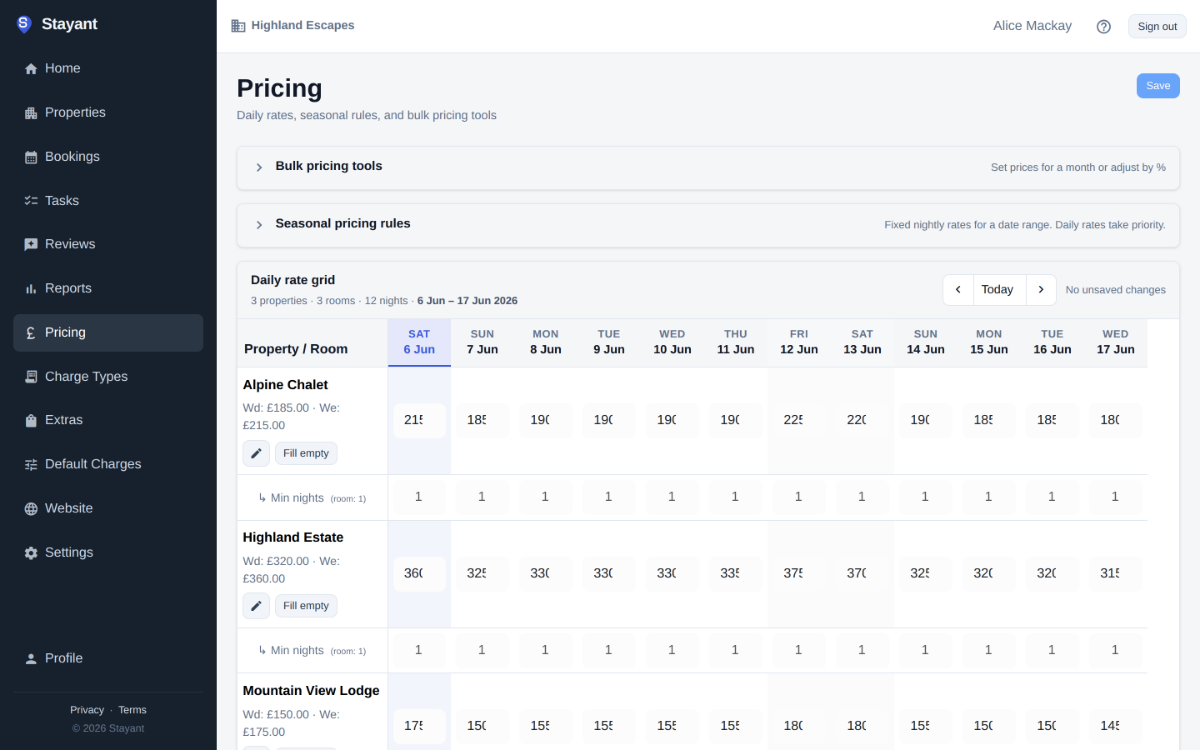
Seasons, weekends and one-off prices
Give each room a weekday and a weekend rate, then add seasonal rules for school holidays, Christmas or the shoulder months. Change a single night in the grid when you need to, or adjust a run of dates by a percentage.
- Seasonal rules with their own weekday and weekend prices and minimum nights
- Choose which nights count as the weekend
- Rate plans per room, such as refundable and non-refundable, with their own cancellation terms
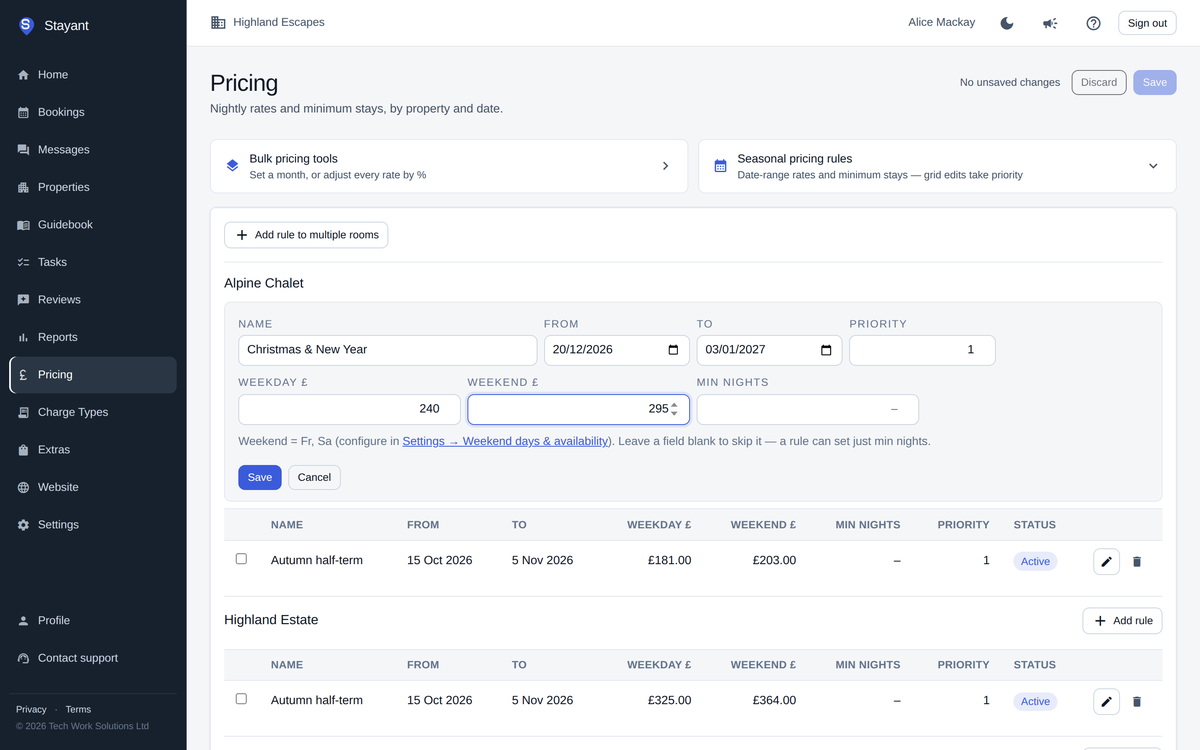
Minimum stays and restrictions
Set a minimum stay for each room, raise it for a season or a single date, and add restrictions where you need them. They apply to your website and to staff bookings, and are sent to your channels.
- Minimum and maximum stay
- Closed to arrival and closed to departure
- Stop sell, a booking cut-off for last-minute stays, and how far ahead guests can book
Length-of-stay discounts
Offer a percentage off longer stays, for example 10% off seven nights or more. The discount shows on your website and is sent to channels when OTA pricing is switched on for your account.
Step-by-step: Seasonal and weekend pricing
Common questions
Does Stayant set my prices for me?
No. There is no automatic dynamic pricing; you stay in control of every rate.
Can I charge more on some channels?
Yes, with channel markups. Ask us to switch on OTA pricing for your account.
Can I offer last-minute or early-booking discounts?
Not as an automatic rule. You can lower prices for specific dates in the grid, and set a booking cut-off for late bookings.