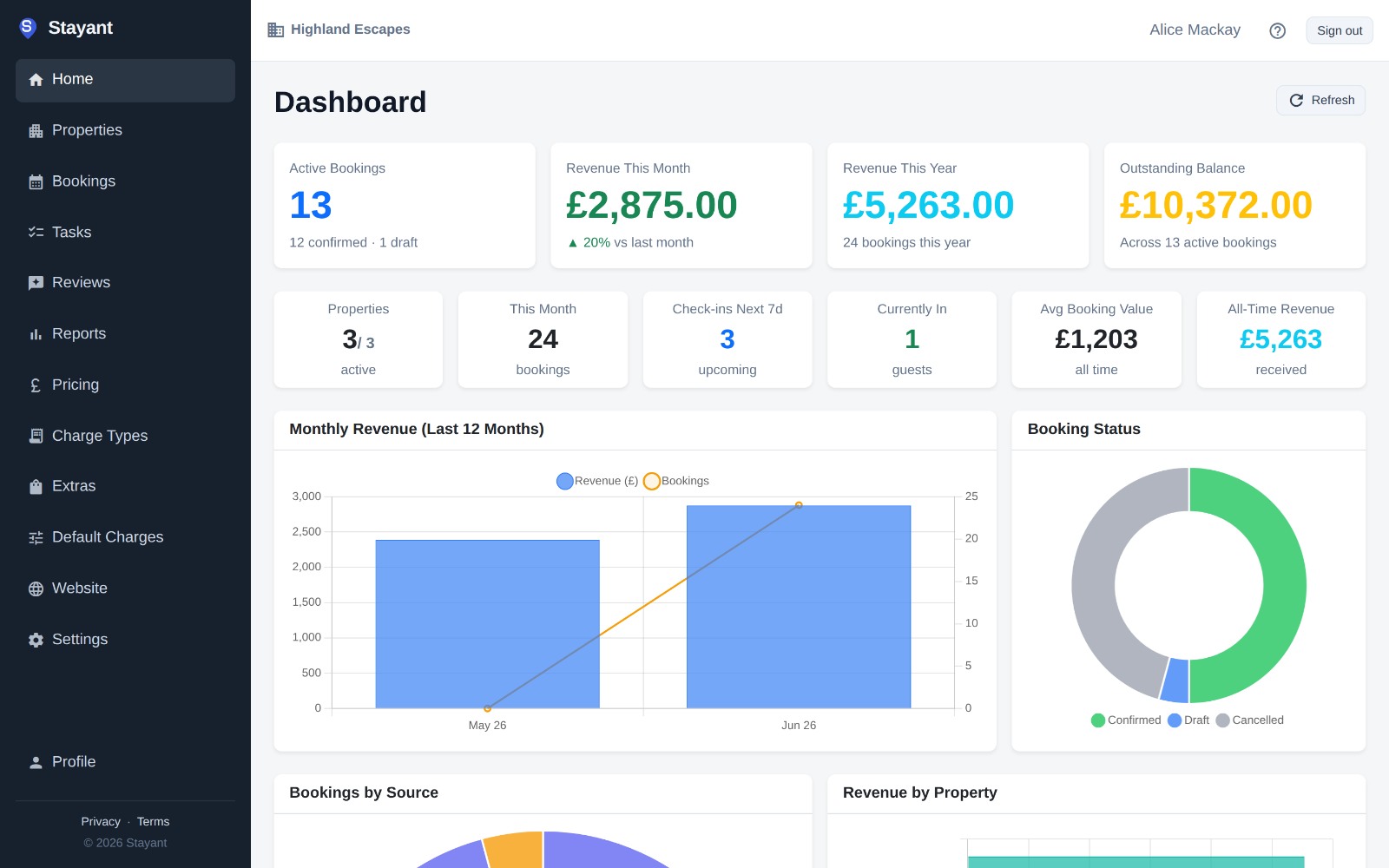
Know how each property is doing
The dashboard shows this month’s revenue, outstanding balances and who is arriving next. Reports break down occupancy and profit for any period and any property.
14-day free trial, no card needed.
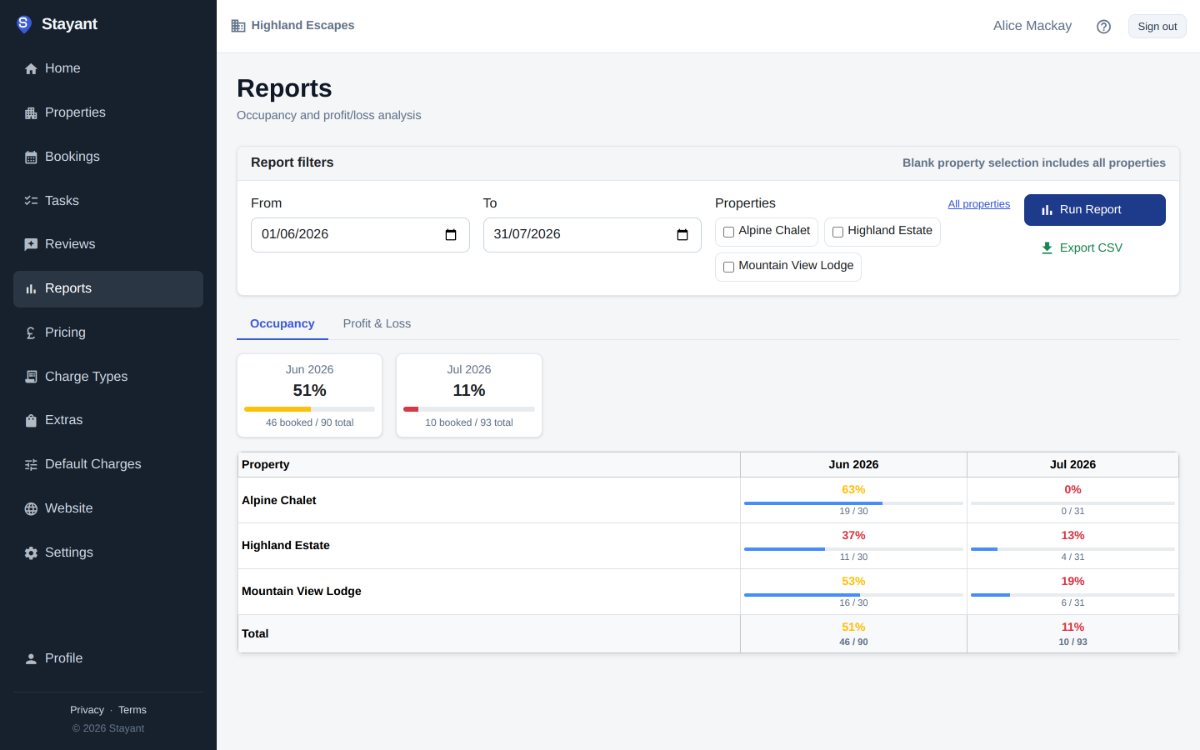
Occupancy
See booked nights against available nights for each month and each property, for any date range you choose.
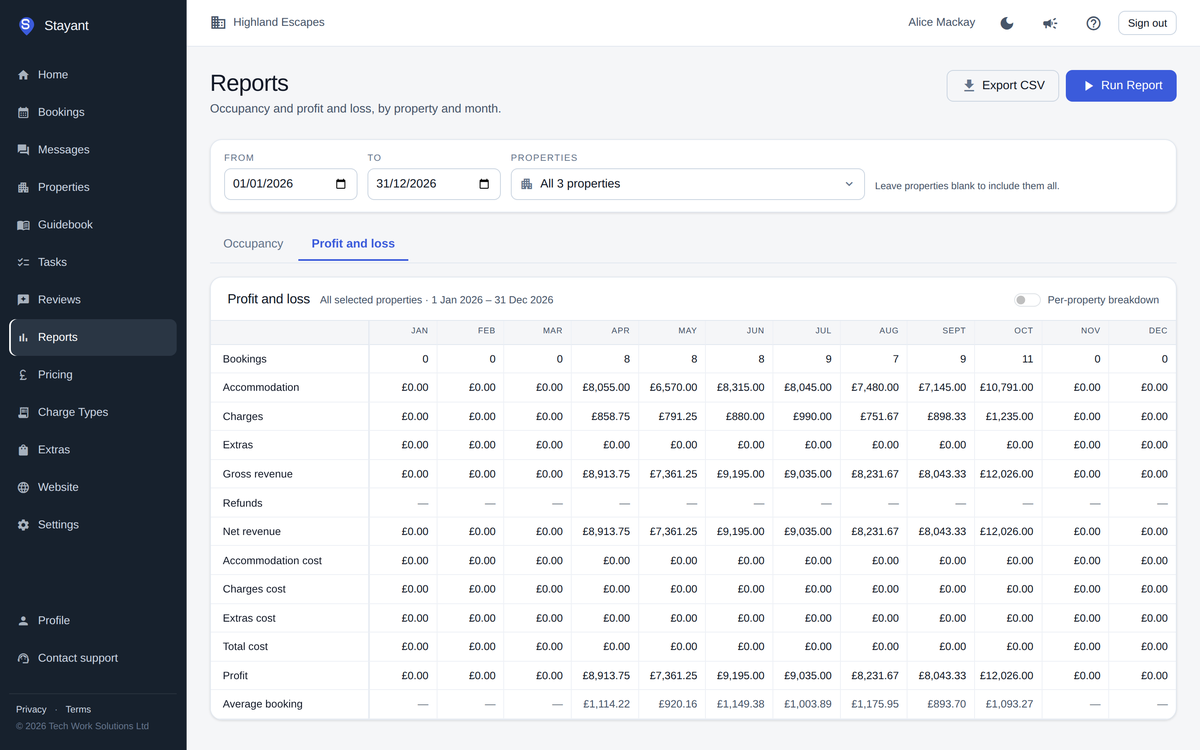
Profit and loss
Accommodation, charges and extras, refunds, your costs and the profit that is left, overall or property by property. Revenue is counted by the nights stayed, and cancelled bookings are left out.
Export for your accountant
Download your bookings as a CSV file, one row per booking, for any period up to two years.
Step-by-step: Reports overview
Common questions
Does Stayant connect to Xero or QuickBooks?
Not yet. Export your bookings as CSV for your accounting software.
Can I produce owner statements?
Not yet. Use the profit and loss report filtered to the owner’s properties.